
Manali Rathore@kittu
1
Events attended
1
Submissions made
India
1 year of experience
About me
I am student interested in Artificial Intelligence, Machine Learning, and Software Development. I enjoy building practical AI-powered projects and participating in hackathons to improve my technical skills and gain real-world experience.
🤓 Latest Submissions
Code Craft AI
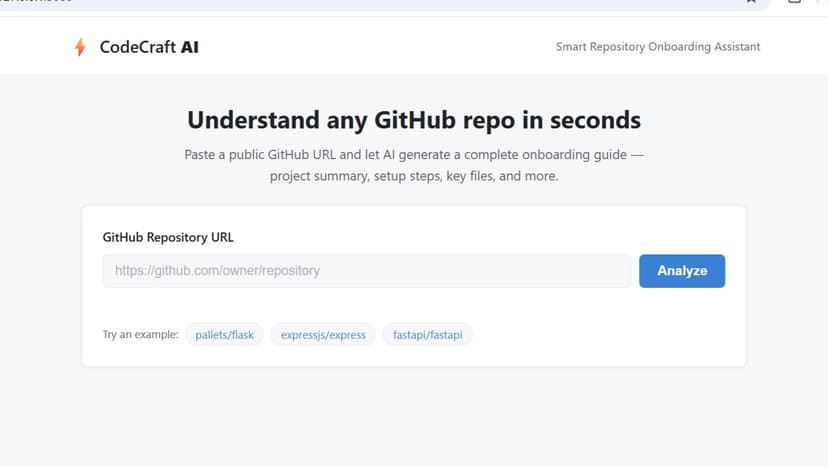
The Problem Every developer has faced this moment: joining a new project, opening an unfamiliar GitHub repository, and staring at hundreds of files with no clear starting point. Understanding an unfamiliar codebase — its purpose, structure, dependencies, and where to begin — is one of the most time-consuming and repetitive tasks in software development. New team members often spend hours or even days manually reading through README files (which are frequently outdated or incomplete), digging through folder structures, and piecing together how a project works before they can write a single line of productive code. This problem compounds in open-source contribution, onboarding at new jobs, evaluating third-party libraries, and even revisiting one's own old projects. The manual process of onboarding into a codebase is inconsistent — every developer approaches it differently, some miss critical files, and valuable time is lost that could otherwise go toward actual development work. The Solution CodeCraft AI is a Smart Repository Onboarding Assistant that eliminates this friction entirely. Users simply paste a public GitHub repository URL, and the tool automatically analyzes the repository and generates a complete, structured onboarding guide in seconds. The tool works in two stages. First, it fetches a structured snapshot of the repository using the GitHub REST API — pulling metadata (description, language, stars, license), the full file/folder tree, and the contents of key files (README, dependency files, configuration files, entry points). Second, this snapshot is passed to an AI model, which analyzes the real content of the repository and generates a structured report covering seven key areas: Project Summary — a plain-English explanation of what the project does Tech Stack — languages, frameworks, and tools used, with their roles Folder Structure — what each major directory contains Setup Instructions — step-by-step commands to get the project running Important Files — which files to look at first, and why Key Modules — the core components of the codebase Where to Start — a friendly, guided recommendation for a new developer's first steps Unlike generic AI chat tools, CodeCraft AI is purpose-built for this single workflow — it doesn't require the user to know what to ask. It automatically identifies what matters in any repository and presents it in a consistent, readable format every time. Target users include new developers joining a team, open-source contributors exploring unfamiliar projects, and individual developers revisiting old codebases. Impact CodeCraft AI directly addresses the onboarding workflow category of this hackathon's challenge. It reduces a task that traditionally takes hours of manual exploration down to seconds, with zero setup required from the user. It works on any public repository — from small personal projects to large frameworks — and produces a consistent, structured result regardless of how well-documented the original project is. For engineering teams, this means faster ramp-up time for new hires; for open-source contributors, it means lower barriers to entry; and for individual developers, it means never feeling lost in an unfamiliar codebase again.
27 Sep 2026
