Guardrails API

The Guardrails API adds safety, privacy, and compliance controls to AssemblyAI transcripts and audio. It covers PII redaction in both transcript text and the underlying audio, profanity filtering, and content moderation, applied as add-ons to a transcription request.

General
DeveloperAssemblyAI
TypeSafety and compliance API
LicenseCommercial API
Documentationassemblyai.com/products/guardrails

Core Features

  • PII text redaction: removes personally identifiable information from transcript text.
  • PII audio redaction: redacts personally identifiable information directly in the audio file.
  • Profanity filtering: filters profane language out of transcript output.
  • Content moderation: flags or filters unsafe or policy-violating content.

Pricing

Guardrails features are billed as add-ons on top of the base Speech-to-Text rate:

Add-onRate
Profanity Filtering+$0.01/hour
PII Text Redaction+$0.08/hour
Content Moderation+$0.15/hour

Source: assemblyai.com/pricing


Use Cases

  • Regulated industries: healthcare and financial services use cases that require PII redaction before storing or sharing transcripts.
  • Customer support and contact centers: content moderation and profanity filtering on recorded or live calls.
  • Compliance workflows: redacting sensitive information from audio archives before retention or sharing.

Ecosystem and Integrations

Guardrails add-ons apply to output from both Speech-to-Text and Universal-Streaming, and can be combined with Speech Understanding add-ons on the same request.


Read the Guardrails docs to add safety and compliance controls to an existing transcription request.

Assembyai Guardrails API top builders

Explore the top contributors showcasing the highest number of Assembyai Guardrails API app submissions within our community.

assemblyai Assembyai Guardrails API AI technology Hackathon projects

Discover innovative solutions crafted with Assembyai Guardrails API, developed by our community members during our engaging hackathons.

OmniCaption

OmniCaption

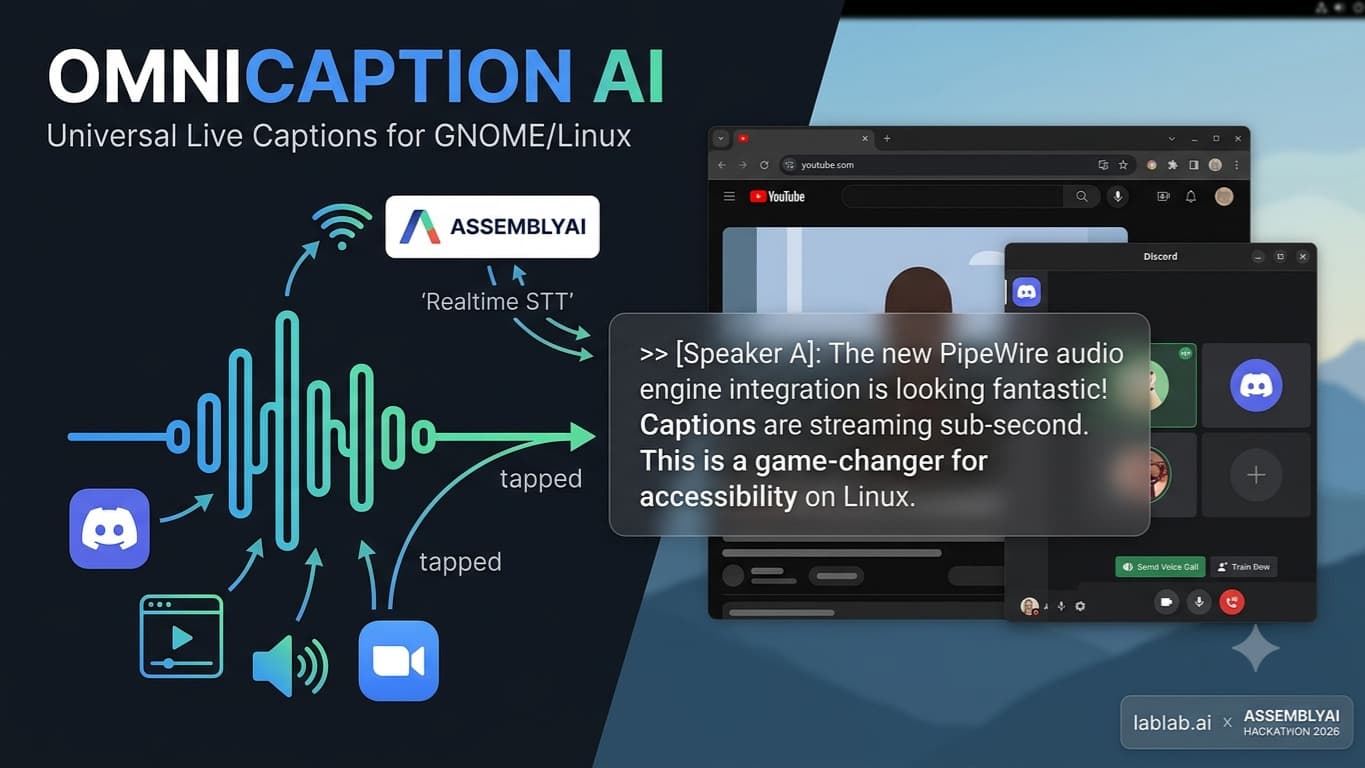
OmniCaption AI: Universal Real-Time System Audio Captions for Linux OmniCaption AI is a system-wide, application-agnostic live captioning HUD built specifically for GNOME and Linux environments. Unlike app-bound caption tools limited to specific browsers or meeting platforms, OmniCaption AI intercepts all system-level output audio directly at the kernel audio layer using PipeWire. Whether you are participating in a Discord call, attending a Twitter/X Space, streaming a video on a web browser, or joining a remote Zoom meeting, OmniCaption AI captures the incoming sound and delivers instantaneous visual captions. Powered by AssemblyAI’s real-time speech-to-text infrastructure, OmniCaption AI streams raw audio over low-latency WebSockets to produce sub-second, highly accurate transcriptions. Local Voice Activity Detection (Silero VAD) filters out silence to optimize network bandwidth and ensure instantaneous response times. Transcripts are displayed on an always-on-top, translucent PySide6 overlay window designed to fit seamlessly into modern GNOME Wayland and X11 workflows without disrupting active user focus or application input. Beyond real-time captioning, OmniCaption AI features a local web dashboard that communicates with a background FastAPI daemon. This dashboard allows users to manage custom vocabulary prompts for domain-specific technical terminology, review and search past call session transcripts stored securely in a local SQLite database, and customize HUD visual parameters like font scaling, text color, and window opacity. OmniCaption AI provides an essential, privacy-conscious accessibility layer for deaf, hard-of-hearing, and non-native speakers across the entire Linux desktop ecosystem.