
🤓 Latest Submissions
Tablekeeper: A Restaurant Booking Factory
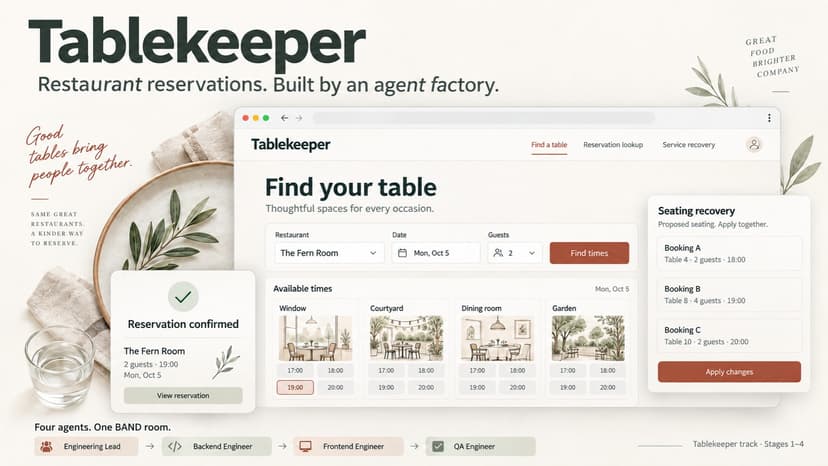
Tablekeeper brings two things together: a restaurant reservation service and a reusable team of coding agents that built it. The team worked in one BAND room, with an Engineering Lead, Backend Engineer, Frontend Engineer and QA Engineer. Each seat had a generic mandate. Product requirements lived in the task, while the mandates defined ownership, handoffs and verification. Engineers handed over committed changes, QA checked them independently, and failures went back to their owners for repair. The application covers the booking journey from finding an available table to confirming, retrieving and cancelling a reservation. Later stages add table combinations, effective-dated policies, recurring visits and seating recovery. Managers can preview proposed seating changes before applying them together. The interface supports light and dark themes, responsive layouts and feedback beside the action that needs attention. All four stages are included as separate, buildable services. Fresh-clone container checks passed, and the final stage passed 158 shipped checks. The repository preserves the room export, original Git history, failure evidence and independent verification reports. The shipped tests are partial, so these results do not guarantee hidden-test coverage. The service uses local SQLite, and state is temporary across container restarts unless exported and imported.
6 Oct 2026
ViewPoint: Understand Any Codebase with IBM Bob
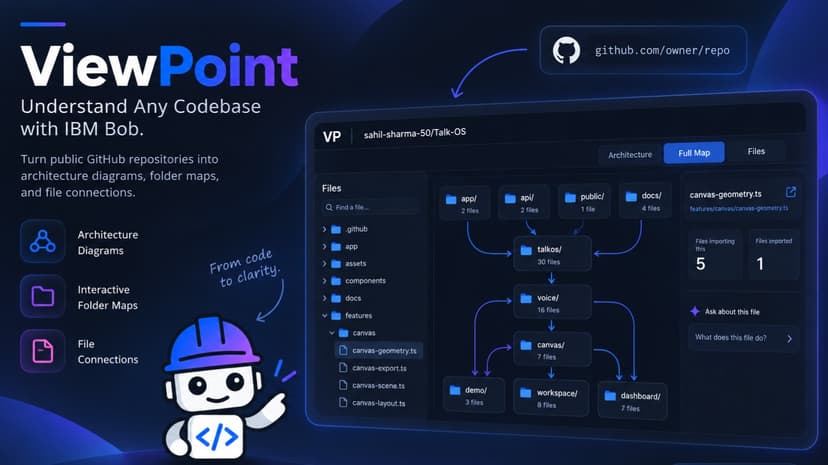
Joining an unfamiliar codebase often means opening dozens of files just to answer basic questions: Where does the application start? Which folders own each feature? What depends on the file I am reading? A file tree shows names, but it rarely shows how the system fits together. ViewPoint helps developers, new team members, and open source contributors get oriented in a public GitHub repository. They paste a repository URL, and ViewPoint creates three ways to explore it. Architecture shows source-backed relationships between components, routes, HTTP calls, and declared infrastructure. Full Map groups files into expandable folders and shows connections across them. Files lets users search for a file, see what it imports and what imports it, then open the original source on GitHub. The three views let someone start with the system, narrow down to a folder, and inspect the files behind a connection. ViewPoint builds the maps from repository source, so users can explore them without waiting for an AI response. When they want help interpreting a selected file or relationship, they can ask IBM Granite for an explanation grounded in the evidence shown. ViewPoint’s strength is that its three views work together: developers can move from a system diagram to a folder connection to the exact files behind it. The maps appear from source analysis without waiting for AI, while IBM Granite is available when a developer wants an explanation. That gives new team members a fast path to useful context and evidence they can check for themselves.
27 Sep 2026
TalkOS
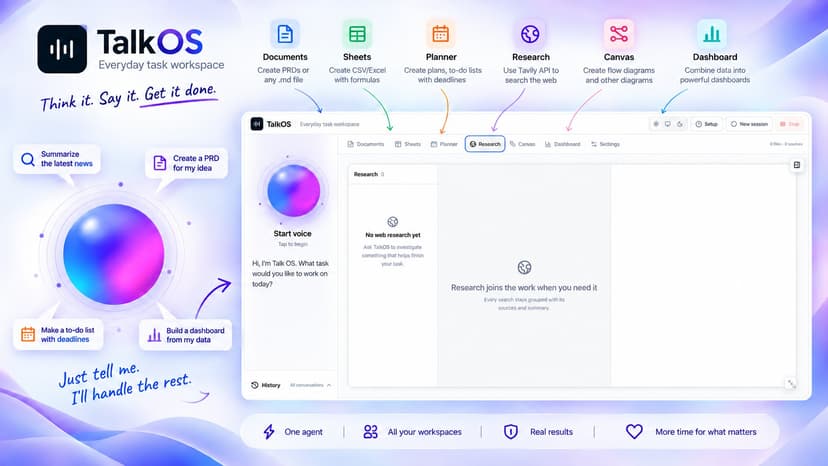
The interaction is built for correction while work is happening. If a user interrupts with a new constraint, TalkOS cancels active work, rejects stale results, revises the task, and records the coordinated change as an undoable activity. The browser owns the workspace state and editors. app/api/voice-token exchanges an AssemblyAI key for a short-lived session token; the browser then opens the realtime WebSocket directly. app/api/research proxies constrained Tavily search and extraction requests. Neither route stores credentials or workspace data. See Architecture for the module map and data flow. Highlights: 1. Realtime voice sessions powered by AssemblyAI, with live captions, interruption, mute, and recovery controls. 2. Documents with Markdown editing, TXT/Markdown/text-PDF import, section-aware composition, embedded canvas and sheet snapshots, and portable Markdown export. 3. Sheets with CSV/XLSX import, CSV export, formatting, formulas, charts, row operations, and ranges up to A1:Z1000. 4. Planners with task details, ordering, dates, conflict detection, CSV export, and calendar ICS export. 5. Canvases with freehand drawing, shapes, connectors, images, automatic layout, and SVG/PNG/JSON export. 6. Dashboards composed from selected workspace sources, with live metrics, charts, deadlines, summaries, and movable layouts. 7. Tavily-backed research organized by query with inspectable sources and extracted content. 8. Local-first workspace persistence, revision checks, visible activity receipts, and undo/redo for agent changes.
30 Sep 2026
ClaimArbiter
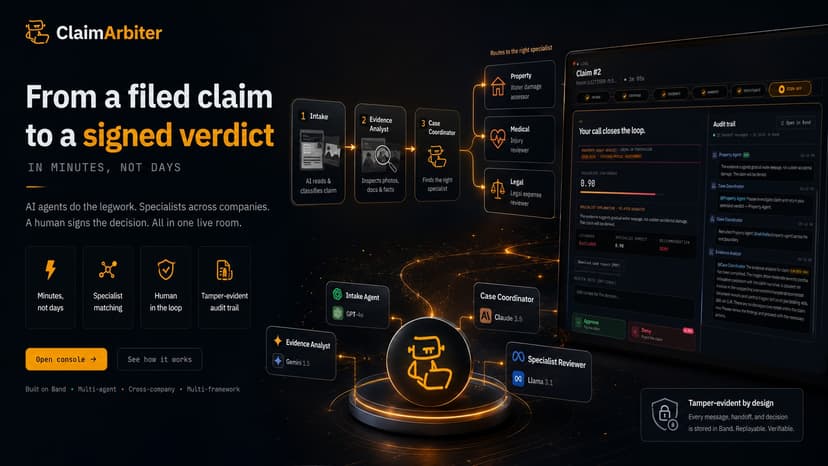
ClaimArbiter shows how an insurance claim can move from filing to a signed decision in minutes, with AI agents doing the legwork and a human keeping the final say. The problem: insurers rarely employ the specialists they rely on. So a claim usually waits in a queue, gets emailed to an outside assessor, and comes back days later with no shared record of who decided what. The solution: ClaimArbiter compresses that cycle into one live workspace. Intake reads the claim and classifies its domain. An Evidence Analyst inspects the photos and documents. A Case Coordinator recruits the matching property, medical, or legal specialist across a company boundary, with consent. The specialist returns an approve or deny recommendation, and a human reviewer signs it back into the same room. Every message, handoff, and decision is stored in Band as a tamper-evident audit trail you can replay and verify. It includes analysis of text, images, and pdf documents. The target audience is insurers and claims teams who want faster, auditable decisions, plus anyone building multi-agent systems that must cross company and framework boundaries. What makes it unique: the specialist routing is real, not scripted. The same system sends a water-damage claim to a property assessor, an injury claim to a medical reviewer, and a legal-expense claim to a legal reviewer. The agents are built with three different AI frameworks and run on different AI models, yet they collaborate in one shared room with a human in the loop.
19 Jun 2026


