privateGPT

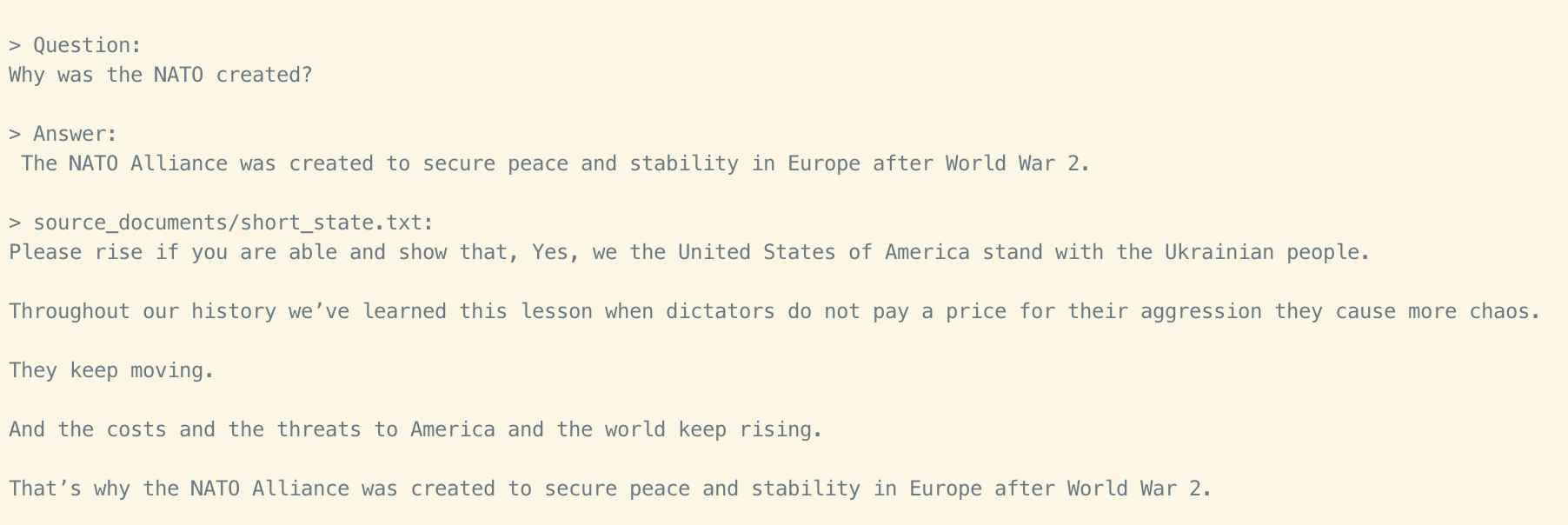
PrivateGPT is a tool that enables you to ask questions to your documents without an internet connection, using the power of Language Models (LLMs). It is 100% private, and no data leaves your execution environment at any point. You can ingest documents and ask questions without an internet connection!

PrivateGPT is built with LangChain, GPT4All, LlamaCpp, Chroma, and SentenceTransformers.
demo

Setup and Usage

  1. Install all required packages by running pip3 install -r requirements.txt.
  2. Download an LLM model (e.g., ggml-gpt4all-j-v1.3-groovy.bin) and place it in a directory of your choice.
  3. Rename example.env to .env and edit the variables according to your setup.
  4. Run python ingest.py to ingest your documents.
  5. Run python privateGPT.py to ask questions to your documents locally.

Supported Document Formats

PrivateGPT supports the following document formats:

  • .csv: CSV
  • .docx: Word Document
  • .doc: Word Document
  • .enex: EverNote
  • .eml: Email
  • .epub: EPub
  • .html: HTML File
  • .md: Markdown
  • .msg: Outlook Message
  • .odt: Open Document Text
  • .pdf: Portable Document Format (PDF)
  • .pptx: PowerPoint Document
  • .ppt: PowerPoint Document
  • .txt: Text file (UTF-8)

How It Works

PrivateGPT leverages local models and the power of LangChain to run the entire pipeline locally, without any data leaving your environment, and with reasonable performance.

  • ingest.py uses LangChain tools to parse the document and create embeddings locally using HuggingFaceEmbeddings (SentenceTransformers). It then stores the result in a local vector database using Chroma vector store.
  • privateGPT.py uses a local LLM based on GPT4All-J or LlamaCpp to understand questions and create answers. The context for the answers is extracted from the local vector store using a similarity search to locate the right piece of context from the docs.

System Requirements

Python Version

To use this software, you must have Python 3.10 or later installed. Earlier versions of Python will not compile.

C++ Compiler

If you encounter an error while building a wheel during the pip install process, you may need to install a C++ compiler on your computer. Follow the instructions for your operating system to install the appropriate compiler.

privateGPT top builders

Explore the top contributors showcasing the highest number of privateGPT app submissions within our community.

privateGPT AI technology page Hackathon projects

Discover innovative solutions crafted with privateGPT, developed by our community members during our engaging hackathons.

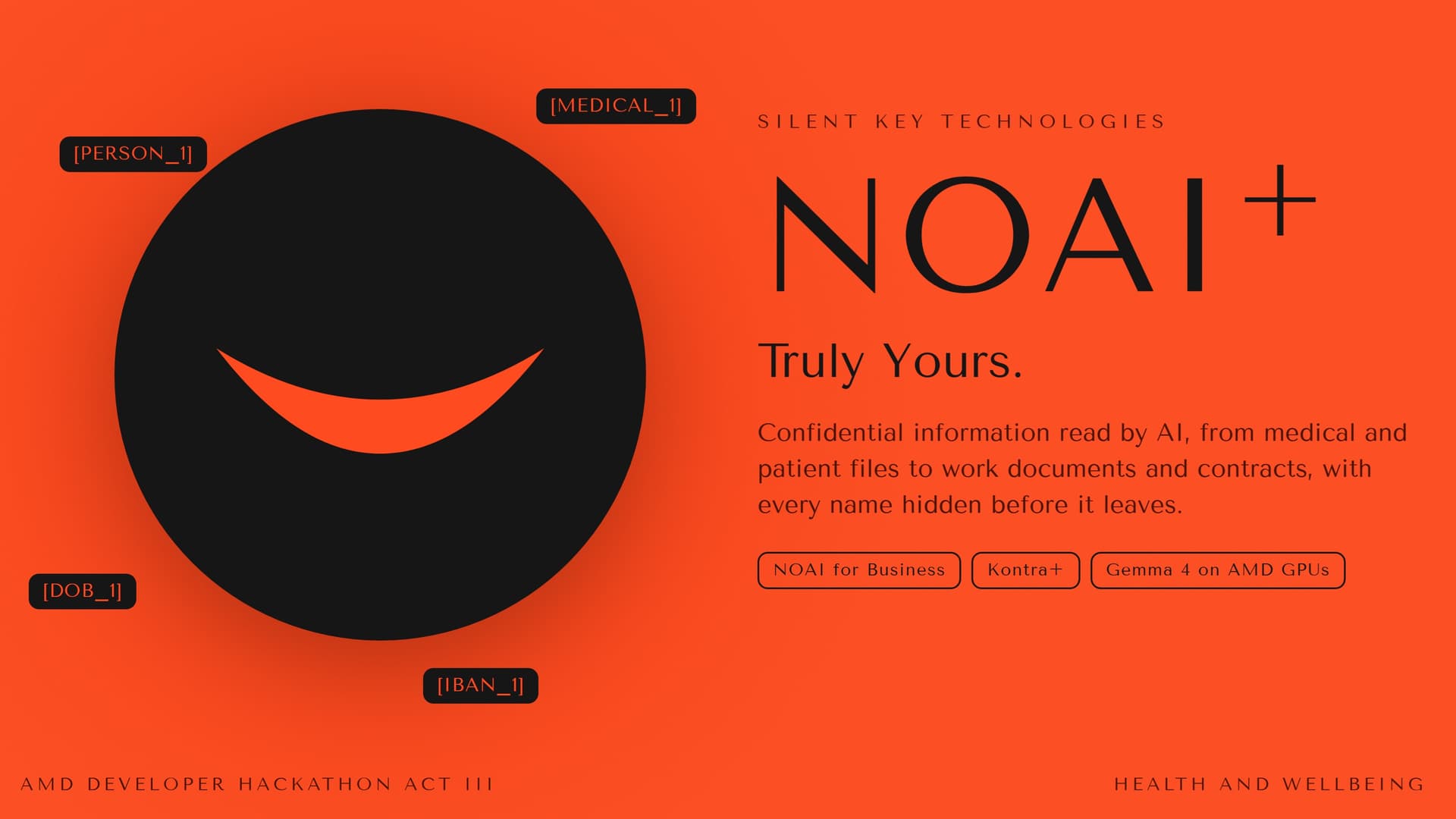
NOAI+: AI reads confidential files, names hidden

NOAI+: AI reads confidential files, names hidden

NOAI+ by Silent Key Technologies. Truly Yours. AI saves the most time on confidential files, and that is where it is hardest to use. A nurse drafting a discharge letter pastes in the patient's name, ID, birth date, phone and diagnosis. A contracts manager pastes in the parties, the signatory and the bank account. All of it goes to whoever runs the model, and nobody can later show what was sent. NOAI+ sits between staff and the model. Before text leaves, it swaps names, Saudi ID and Iqama numbers, phones, IBANs, addresses, Hijri and Gregorian birth dates, record numbers, hospital names and listed medical terms, in Arabic and English, for placeholders like [PERSON_1] and [MEDICAL_1]. The model writes around them, and the gateway puts the real values back as the answer streams in. Every call leaves a signed, chained receipt with a SHA-256 hash of the exact bytes sent. It runs on AMD: every call goes first to Google's open Gemma 4 on AMD GPUs through AMD Token Factory. Its address is a .cn domain, and only placeholder text ever reaches it, which is the point. If AMD fails or stalls, a backup on Amazon Bedrock answers and the receipt says so. Measured on 14 Oct through the public URL with 40 made-up Saudi patient files and subcontracts carrying 440 planted private values: all 40 answered by Gemma 4 on AMD, none of the 440 reached the model, 159 of 160 restored exactly, median 3.6 seconds per file. Limits, stated plainly: it hides what it recognises and nothing more, it does not make data anonymous or anyone compliant with a law, and patient output is a draft for a person to check, never medical advice. Open source under Apache 2.0.

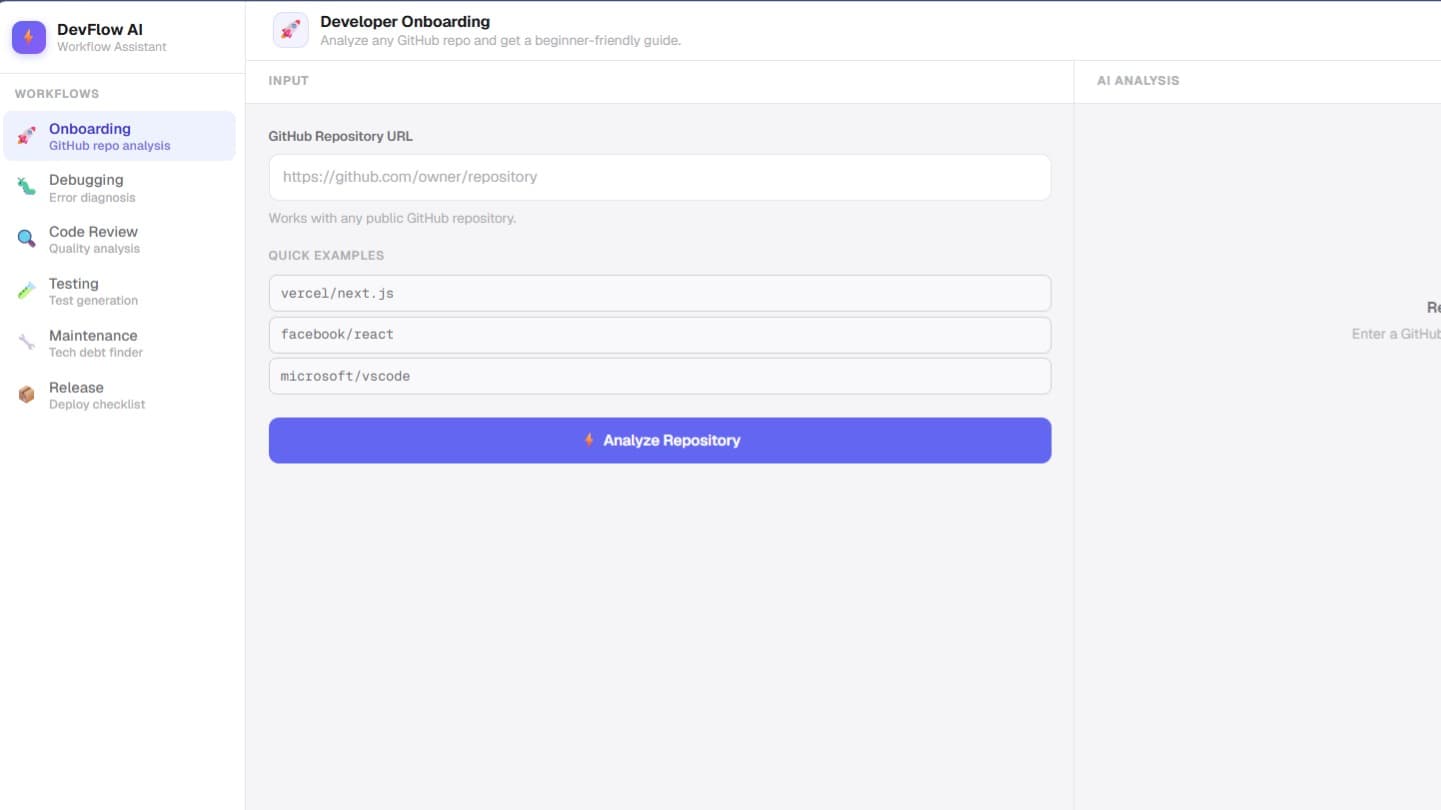
DevFlow AI

DevFlow AI

Solution DevFlow AI is an AI-powered developer workflow assistant that brings these activities into a single platform. Developers can connect or provide a GitHub repository and use AI-assisted workflows for repository understanding, debugging, code review, testing assistance, application maintenance, and release preparation. Target Users The primary users are software developers, student developers, beginner programmers, development teams, and software maintenance teams. How It Works A developer provides a repository or relevant code and context. DevFlow AI processes the available project structure and relevant code context, sends structured information to the AI layer, and presents the resulting analysis as actionable developer guidance. For onboarding, it can explain project structure, dependencies, important files, architecture, and provide beginner-friendly guidance. For debugging, it can analyze errors and relevant code and suggest possible causes and fixes. Code review provides potential code-quality issues and improvement suggestions, while testing, maintenance, and release workflows provide structured assistance for those stages. Creativity and Uniqueness Instead of focusing on only one development task, DevFlow AI unifies multiple developer workflows in one environment. Its repository-aware approach allows the AI assistance to be grounded in the developer's existing project context rather than treating each task as an isolated question. The platform is also designed to provide beginner-friendly explanations, making complex codebases easier to understand. Impact By reducing context switching and repetitive manual analysis, DevFlow AI aims to make development workflows more organized and accessible. It provides a single place where developers can understand, debug, review, test, maintain, and prepare their projects for release.

Fresno LUX: A Living City

Fresno LUX: A Living City

Fresno LUX is a prototype for a living intelligence layer across an entire city. Fresno already contains enormous amounts of intelligence: residents know where problems exist, nonprofits know where help is needed, businesses know where opportunities exist, educators understand gaps in learning, researchers generate knowledge, and government maintains critical infrastructure and data. The problem is that much of this intelligence is fragmented across disconnected systems. Fresno LUX connects those pieces. The platform creates a shared city graph where people, organizations, resources, needs, projects, observations, experiments, and outcomes become connected nodes. Instead of simply collecting data, LUX continuously asks: What is happening? What do we know? What is missing? What can we test? What changed? A community problem can become an observable signal. That signal can become an experiment. The experiment produces evidence. Evidence changes the system's understanding. That updated understanding informs the next action. Observe → Connect → Understand → Act → Measure → Learn → Converge. The goal is to move Fresno from disconnected information toward collective intelligence—a system where knowledge can travel across boundaries and successful solutions can be discovered, tested, measured, and replicated. LUX is designed to make the invisible connections visible: the relationship between a neighborhood and its resources, between a student and educational opportunity, between a business and workforce capacity, between environmental conditions and community health, and between an idea and measurable real-world impact. This hackathon prototype demonstrates the beginning of a Living Fresno Graph: a city that can observe itself, learn from evidence, and coordinate toward better outcomes.