
🤝 Top Collaborators
🤓 Latest Submissions

Warmup
Small talk, networking, a first date, being put on the spot: the only way to get better at them is to practice, and practicing with a real person is the part that feels hard. Warmup lets you practice out loud with AI people who react like real ones. Seven scenes form a ladder, from ordering a coffee to asking someone out or speaking on the spot, so you can start low and work up. While you talk, a gauge around their portrait shows how interested they are and why: +8 for following up on what they said, -7 for a one-word answer. They feel it too. As their interest changes, so does their mood, mid-conversation: they open up, or start looking for an exit and eventually leave. Afterwards you get a replay: how their interest moved, how you sounded (response time, filler words, pace, pauses), coach notes with one thing to try next, and the moments that mattered. Pick one and try it again. They say the same line, remembering everything before it, and you see how a different answer lands. Built on AssemblyAI. The Voice Agent API runs each conversation, hearing you with the new Universal-3.6 Pro Realtime, and session.update changes the persona's mood as it happens. The Sessions API provides the two-channel recording, which Universal-3.5 Pro transcribes with multichannel and disfluencies, so every um and every pause is measured from real word timings. LLM Gateway writes the coach notes. It works hands-free on a phone speaker, and your history stays in your browser.
30 Sep 2026
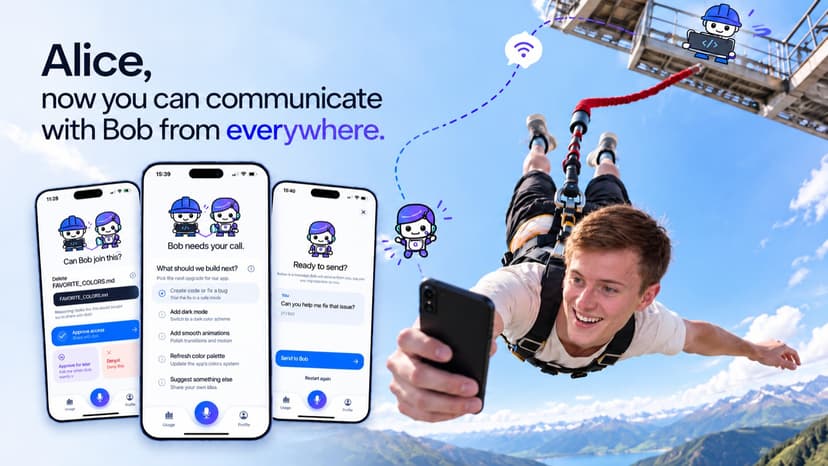
Alice - The Mobile Partner for IBM Bob
AI coding assistants like IBM Bob handle complex tasks, but still need a human for direction and approvals. One open question can stall a session for an hour, so developers stay glued to the IDE instead of stepping away. Our solution Alice brings the decision to the human. It is a native iOS app paired with Bob by scanning a QR code. When Bob needs input, the phone buzzes with a compact card: a short summary and 2 - 4 next steps with one recommended, or a request to run one exact command with a plain-language explanation of each part. Tap once and Bob continues. Or hold the microphone and speak a follow-up. It reaches the same Bob conversation, and Bob answers on the phone. Target users Developers and teams using IBM Bob who want to supervise long-running tasks from their phone, over coffee, in a meeting, or on the way home. How they interact 1. Switch Bob to the Companion agent and start a task. 2. Scan the QR code with Alice. 3. Get notified when Bob needs you. 4. Tap a next step, approve or reject a command, or speak a new instruction. 5. Bob continues immediately. What makes it creative and unique The heart of Alice is the Companion agent, a custom IBM Bob mode that teaches Bob when to involve a human who isn't at the desk. It announces the task, offers next steps after each step (always including "Stop here"), asks before installs, deletes, commits or pushes, never takes a risky action without an answer, and then listens quietly for your voice instead of just stopping. Without these rules Bob simply finished the task; with them, it offers the next steps on its own. Alice also bootstrapped itself: once the first loop worked, we steered Bob from Alice while Bob improved Alice. Approvals are built for trust. The phone shows the exact command, never shortened, so you approve exactly what runs. "Approve for task" is remembered by the server until the task ends, so Bob stops asking for the same command without losing your oversight. Voice gives direction but never approves a command. Alice is a friendly companion, not a remote desktop: a customizable character focused on one decision at a time. How it addresses the problem effectively and efficiently Alice uses only Bob's documented extension points, a custom mode and an MCP server, with no changes to Bob. The MCP server connects outward to a small relay, so nothing on the developer's machine is exposed. Cards are trimmed to phone size, so each decision takes seconds. Notifications (via ntfy) arrive even when the app is closed; speech is transcribed by AssemblyAI with short-lived tokens; pairing secrets stay in the iOS Keychain. Working today: QR pairing, live decision and approval cards, status updates, voice follow-ups and notifications. Usage figures and account sign-in are still simulated. Bob does the development work. Alice keeps you in the loop.
27 Sep 2026


